Open source · macOS app · MIT license
Write the scenario. Get the product video.
Retake plays your web app from a YAML scenario, films it headless with the cursor drawn in the page, and edits the take into a finished video in your theme. Its MCP server lets your AI agents write the scenario and run it all.
brew install --cask bramvanosta/tap/retake- macOS 15 or later, Apple silicon
- Linux: from the source
- MCP server included
How it works
From a few lines of YAML to a finished video
One take, one timeline of every step, and an editor that reads it: no cursor added afterwards, no zoom guessed from a timestamp.
- 1Script
Describe the video in YAML
Scenes, steps (click, type, select, scroll, drop_file…), captions and edit hints. retake validate checks it, with line and column, before anything runs.
- 2Shoot
A headless take, cursor in the page
Chromium plays the whole scenario at any virtual resolution, with the cursor drawn inside the page: clicks and the screen’s reactions are in sync by construction. It does not take over your screen.
- 3Edit
Edited for you, in your theme
The capture and its timeline of every step become a video: browser, laptop or phone frames, captions, intro and outro, cards, zooms keyed to the action. Every piece is a Remotion component your theme styles.
- 4Review
Checked before anyone sees it
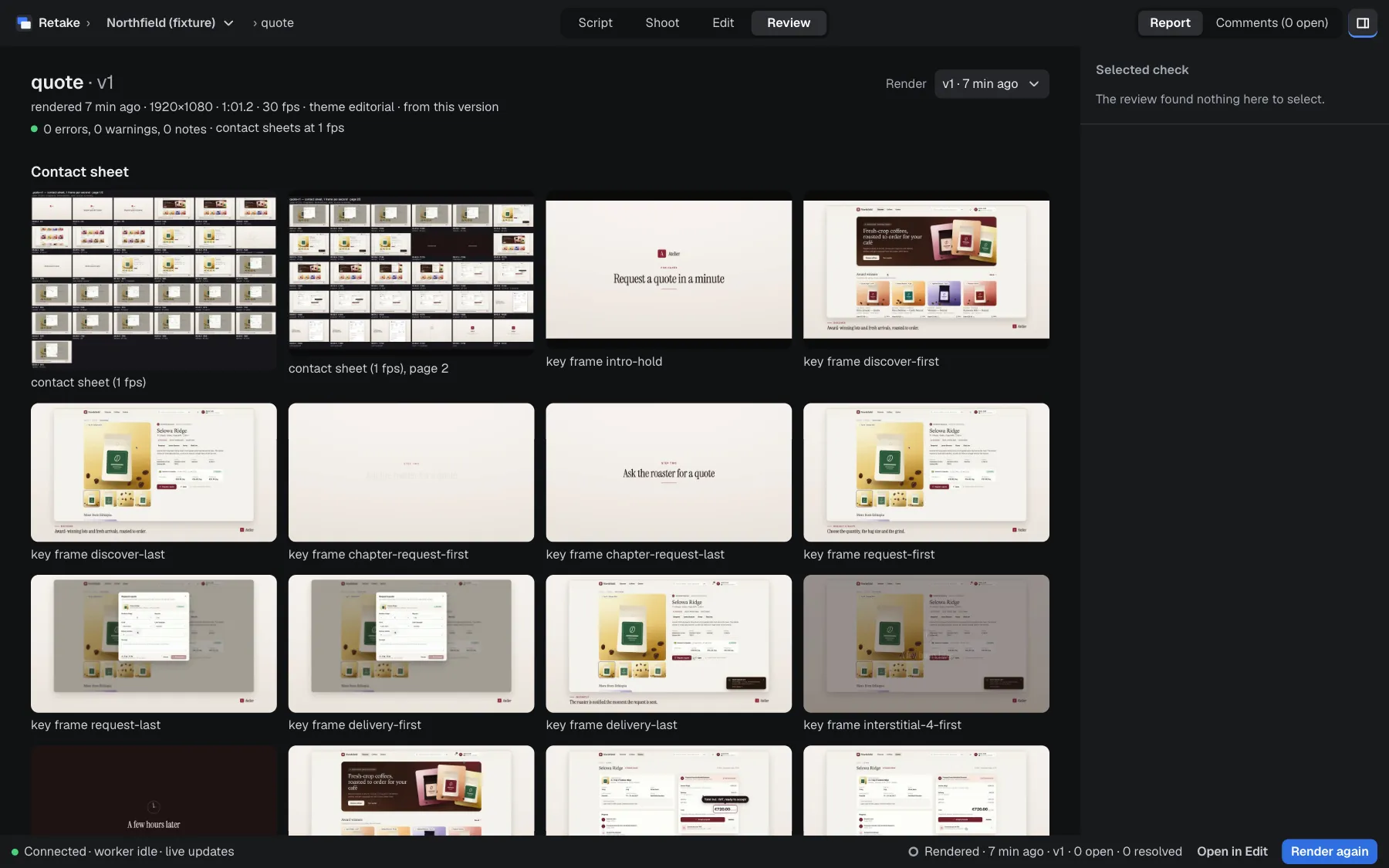
Contact sheets, key frames and checks, for you or your agent, and comments pinned to a frame of the render.
- 5Export
Ready to deliver
MP4 up to 4K, vertical and square versions reframed on the action, a music bed, or the raw clips with FCPXML, EDL or OTIO markers for an editor.
A closer look
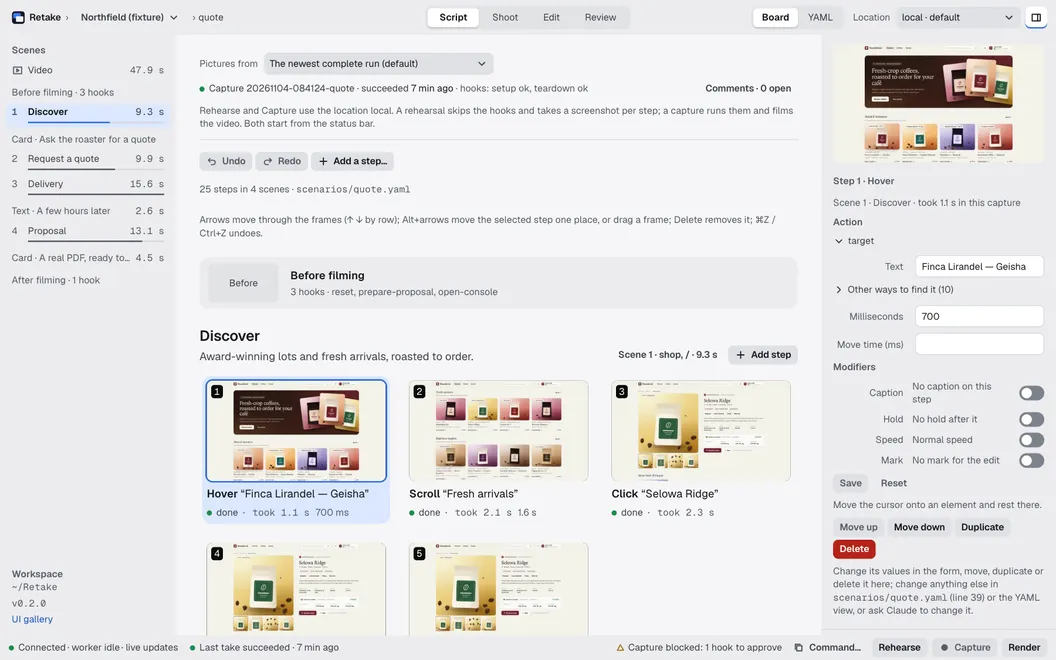
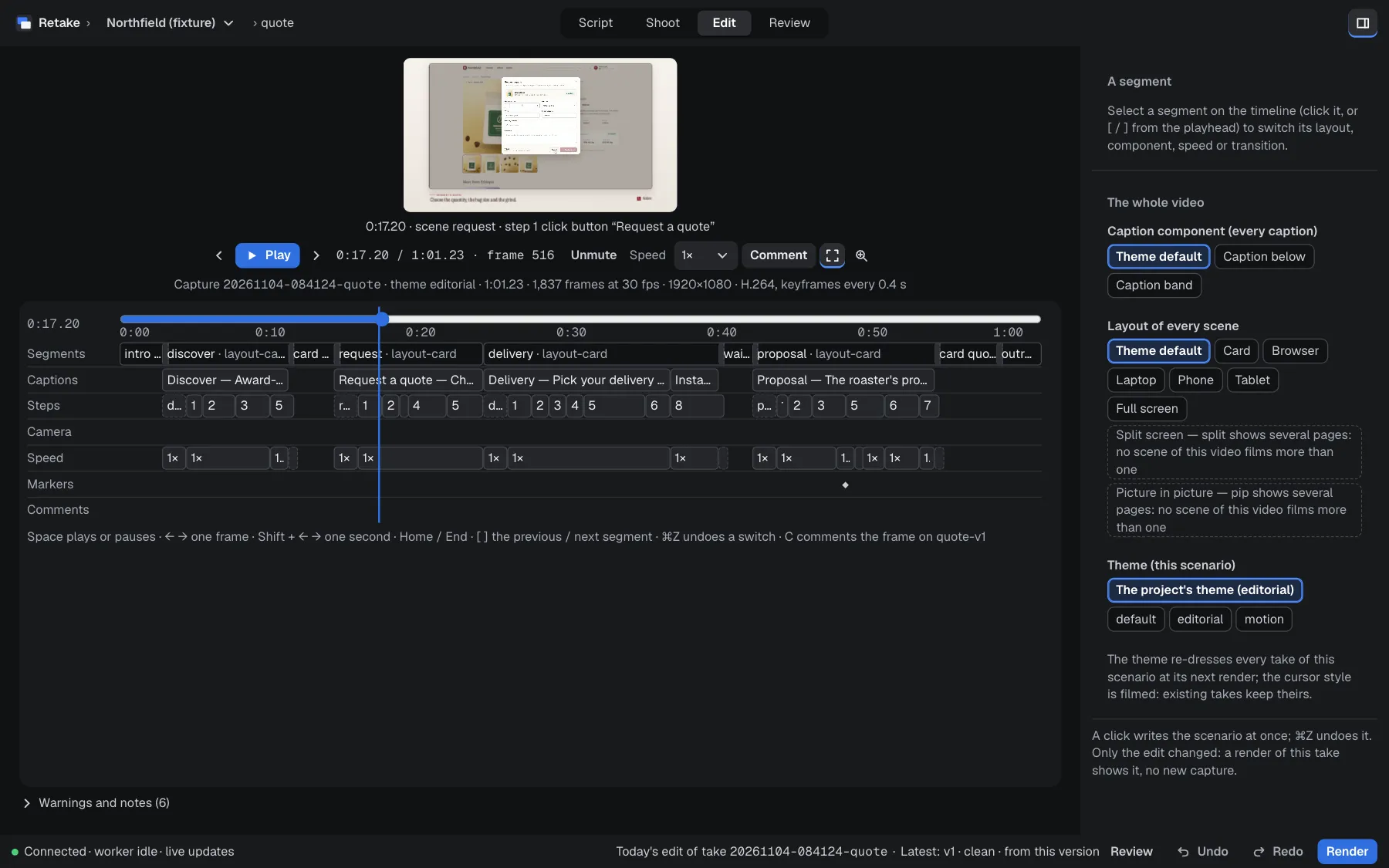
The Studio: Script, Shoot, Edit, Review
One window for every scenario: its blocks, its takes, its timeline, and its review with the frame comments.
Made with Retake
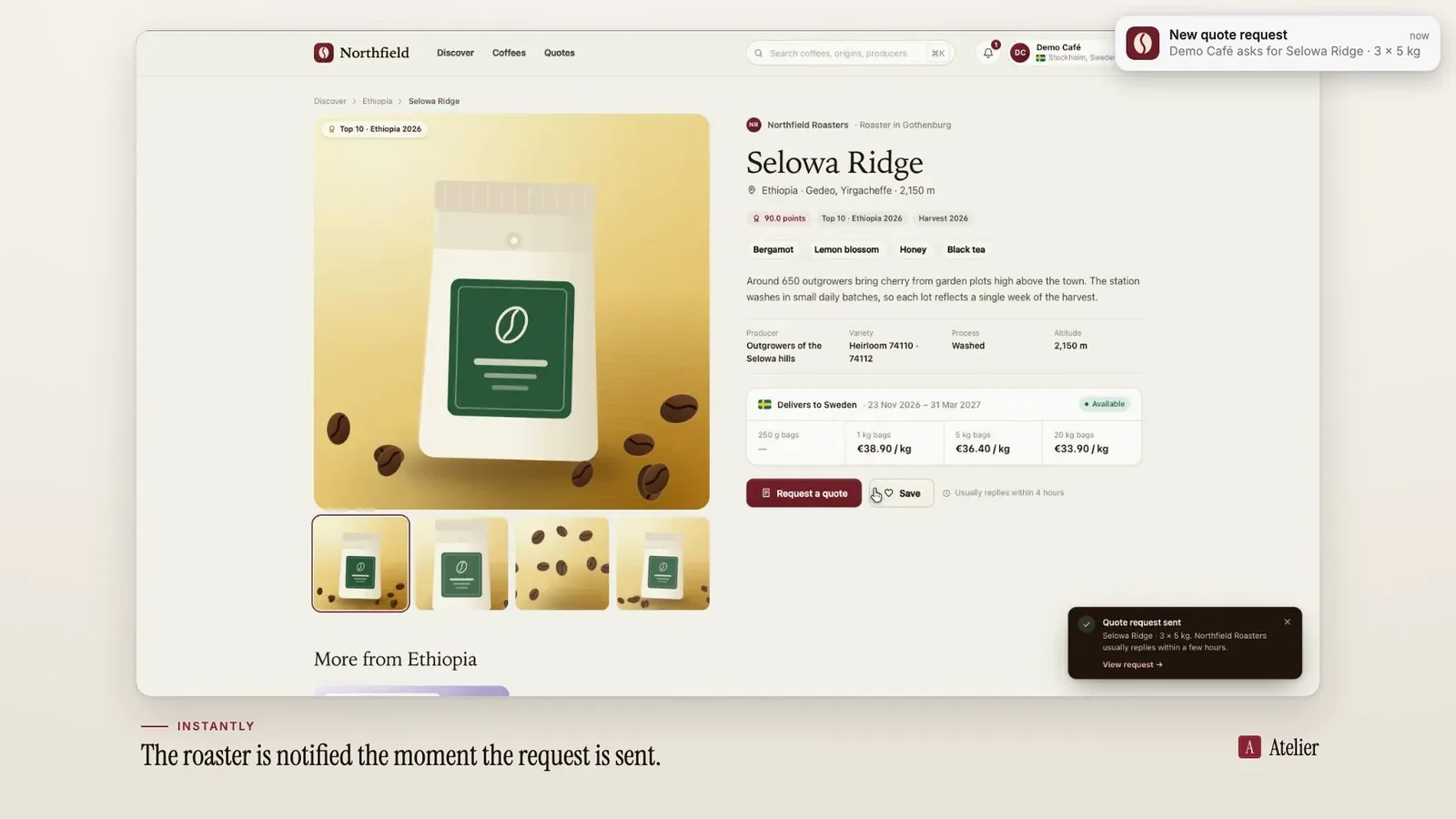
Frames from a finished video
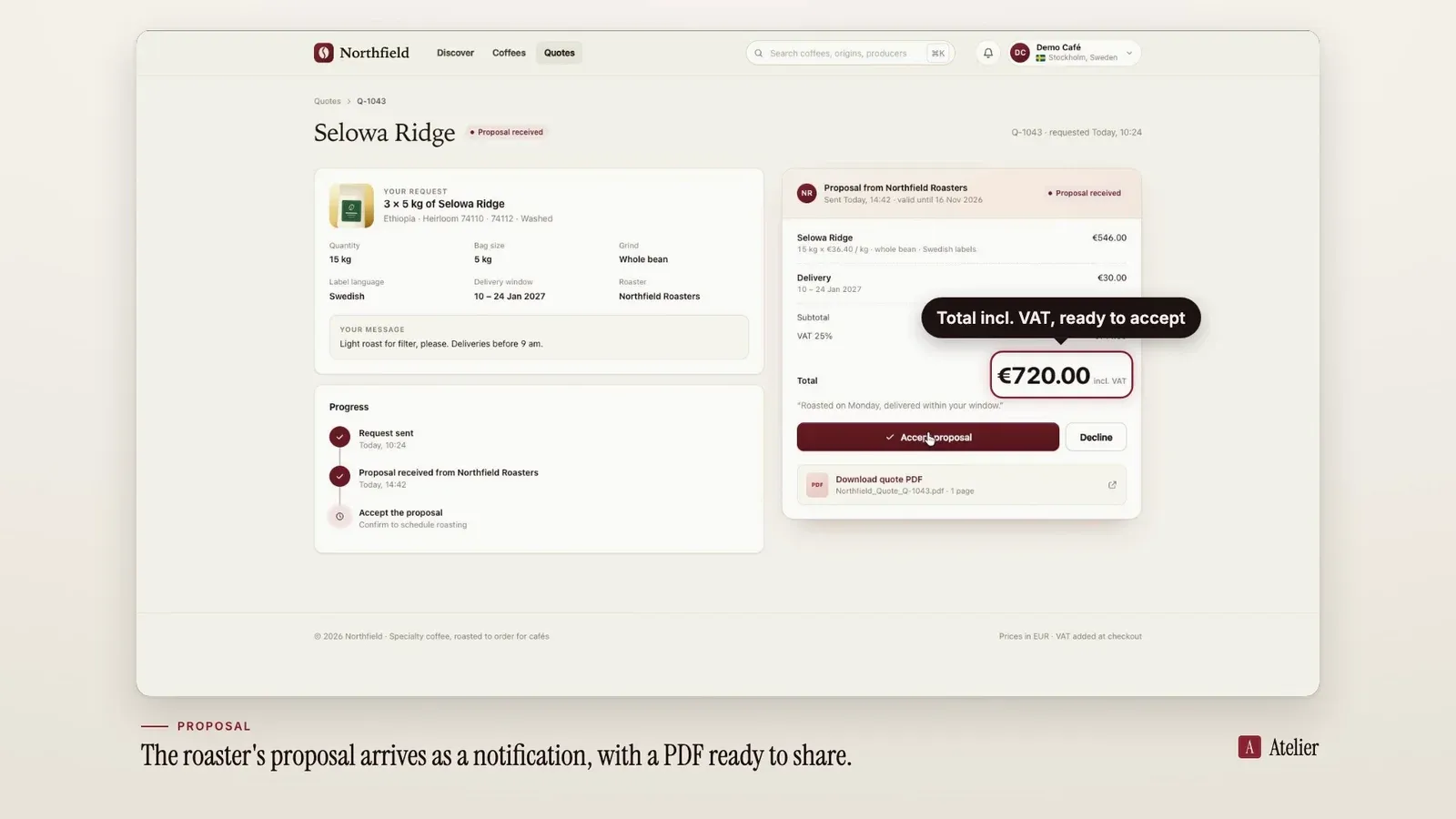
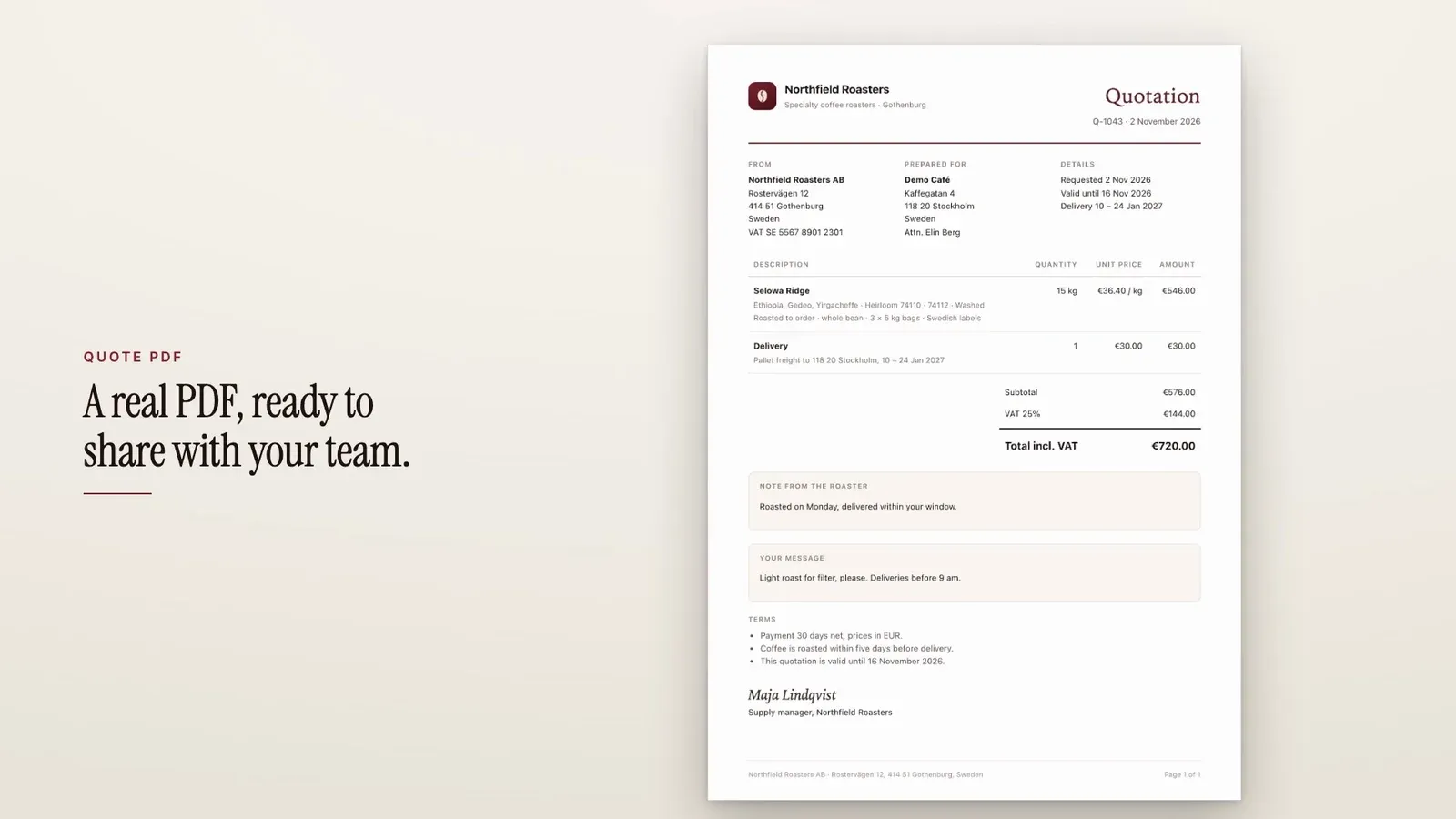
Retake filmed and edited Northfield, the invented coffee wholesale platform its repository ships to film: captions, cards, overlays and what the product sent along the way.
Why Retake
Takes you can trust, for any web app
Another look, the same take
Render again with another theme or layout component: no new capture, no change to the scenario.
Data that holds still
Setup hooks prepare the data over HTTP, SQL, shell or in-page JavaScript, with their rollback. A sandbox resets a local copy of the product before every take.
Built for real front-ends
Full-page and single-page navigations, inner scroll containers, popovers of any UI library, shadow DOM, iframes and new tabs.
Signed in, on your computer
Personas sign in once, in a window, and their sessions stay on your computer, outside any project.
Themes from your brand
A theme from your logo, colours and fonts, or a draft read off your site, with its contrast checked.
Your workspace, your files
Projects, themes, components and hooks live in a folder of yours. The tool holds no product and no brand.
The macOS app
One app, everything inside
Retake.app carries its own Node.js, engine, Chromium, ffmpeg, and starter themes. Nothing else to install.
- Drag Retake from its disk image to Applications, and open it.
- The first run makes your workspace, ~/Retake, or opens a folder you choose.
- The Set-up sheet links the retake command and registers the MCP server in your AI client, each only when you click.
- Updates are checked at launch. Nothing installs until you click Install and Restart.
AI agents
Ask your agent for the video
Retake ships an MCP server. Your agent inspects your product’s pages, writes the scenario itself, then films, renders and reviews it with the same engine as the Studio.
- Or show it the flow once, in a window, and it reads the draft.
- Hooks that need a human wait for your approval in the client.
- Renders run guarded: the project’s files only, no network.
- It reads the comments on a frame, changes the video, renders it again and resolves them.
- Any MCP client can connect:
retake mcp --print-configprints its configuration.
- page_inspect
- scenario_validate
- scenario_save
- run_capture
- render
- review
Download
The app, or the source
macOS app
For macOS 15 or later on Apple silicon (no Intel build yet). It updates itself, only when you click.
brew install --cask bramvanosta/tap/retake
# or, with the release candidates too:
brew install --cask bramvanosta/tap/retake@beta
Or get the .dmg from the latest release
From the source
macOS or Linux, with Node.js 22 or later, pnpm 10, and ffmpeg 5.1 or later.
git clone https://github.com/Bramvanosta/Retake.git && cd Retake
pnpm install && pnpm build
pnpm --filter @retake/runner-web exec playwright-core install chromium
pnpm retake doctor        # is this machine ready?
Quick start, scenario language and commands, in the README
Retake is under the MIT license. It renders its videos with Remotion, which is not open source: its own license applies to everyone who renders with Retake, free for individuals and for companies of up to three people. The macOS app also carries GPL builds of FFmpeg, each with its notice.
Your next product video is a scenario away
Open source, under the MIT license. A macOS app, a command line, and an MCP server for your AI agents.